
Resources
 Part of the Oxford Instruments Group
Expand
Collapse
Part of the Oxford Instruments Group

Technical Article
Author: Stephane Lemarchand
Published: 01 Dec 2023 · Last updated: 27 Jun 2024
The purpose of this note is to provide an easy way to reload the raw images acquired with the C-RED 2, CRED 2 ER, C-RED 2 Lite or C-RED 3 . The process to save raw images is described in the camera demo software user manual.
Start ImageJ, then follow the steps below:
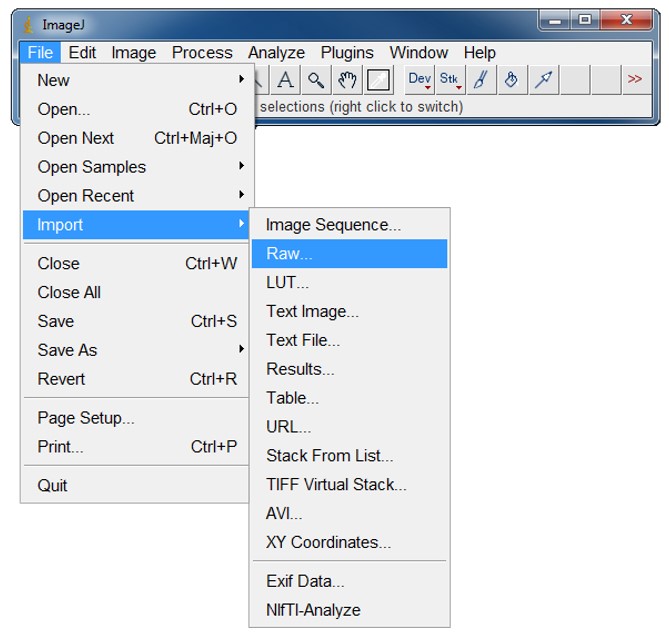
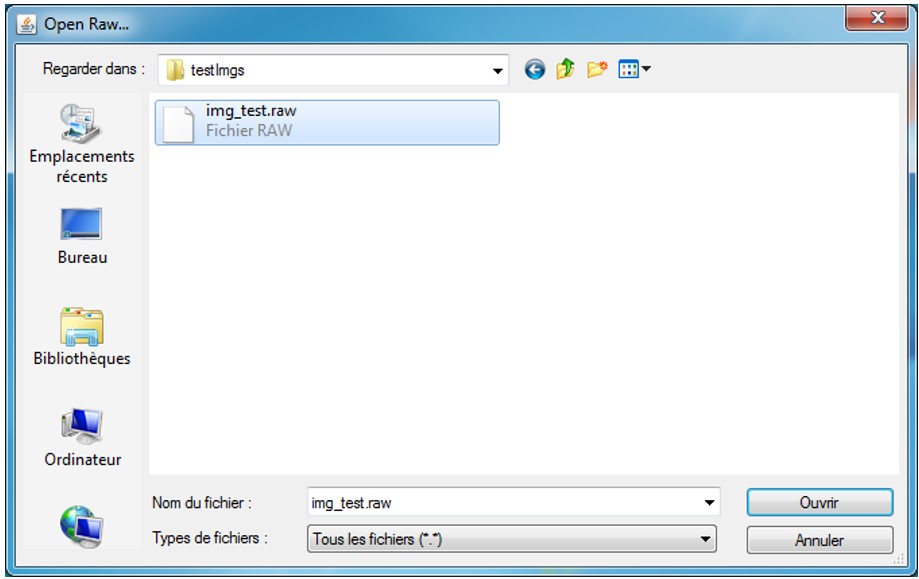
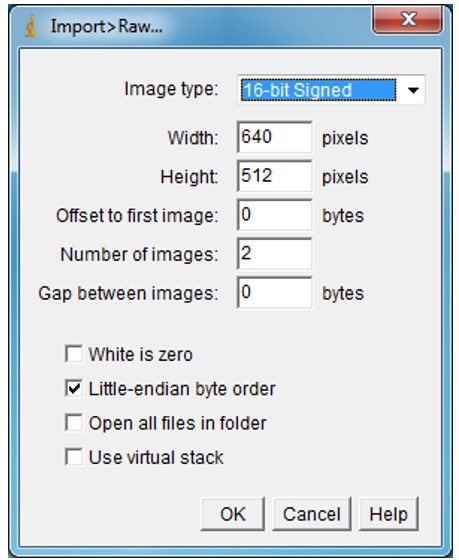
Please Note: In the case of data acquired in cropping mode, please enter the width and height consequently to the window size used for the acquisition of the loading data.
Copy the code below in a .m file called read_cube_selectcred2.m
function B=read_cube_selectcred2 (full_image_name,width,height,nbImages)
size=nbImages*width*height;
fileID=fopen(full_image_name);
B=fread(fileID,size,'int16');
B=reshape(B.width,height,[]);
B = premute(B,[2 1 3]);
end
Then, from your MATLAB code, you will be able to call the function and get the image cube in B variable.
B=read_cube_selectcred2('img_test.raw',640,512,2');
Please Note: If images in raw file are cropped, adjust width and height.

© Oxford Instruments 2026